Гайды / Контент
Контент-завод · GPT Image 2
Преврати любое фото в другую вселенную
Один и тот же кадр - и вот он уже из фильма Миядзаки, из Minecraft, из The Sims или слеплен из пластилина. GPT Image 2 сохраняет композицию до мелочей: ракурс, кадрирование, позы, расстановку. Меняется только стиль. Ниже 6 готовых промптов и то, что каждый из них делает с обычной фотографией
Как это работает
Любой промпт работает одинаково
- 01
Добавь узел с картинкой
Любое фото: портрет, пейзаж, группа, интерьер. Промпт переделает что угодно
- 02
Подключи узел GPT Image 2
Соедини выход картинки с узлом GPT Image 2 в Picsart Flow
- 03
Вставь стиль-промпт
Скопируй промпт нужного стиля отсюда и вставь целиком. Не сокращай
- 04
Генерируй
GPT Image 2 сохранит композицию точь-в-точь и поменяет только визуальный стиль
Главная строка
В каждом промпте есть якорь: «Preserve the exact composition, camera angle, framing, crop, subject position, pose, and scene layout». Именно он держит кадр на месте, пока меняется стиль. Никогда его не убирай - без него модель перерисует сцену заново, а не конвертирует
Промпты оставлены на английском намеренно: image-модель так точнее держит стиль и композицию. Обвязку и пояснения держим на русском
Шесть стилей
Каждый - один промпт, одна новая вселенная
Под каждым стилем - что он делает, на чём заходит лучше всего, пример результата и готовый промпт под кнопкой «Скопировать»
Studio Ghibli - акварель Миядзаки
01 / 06Кадр будто из фильма Хаяо Миядзаки: мягкие рисованные лица, большие добрые глаза, акварельные фоны, тёплый рассеянный свет. 2D-анимация ручной работы
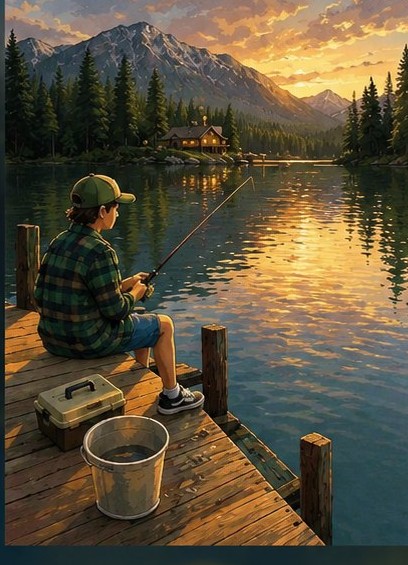
Лучше всего: улица, природа, люди, мягкий свет (золотой час, пасмурно). Нет людей - стиль красиво ложится на пейзажи и здания
Промпт - скопировать и вставить+
Reimagine the uploaded photo as a still frame from a Studio Ghibli film directed by Hayao Miyazaki. Preserve the exact composition, camera angle, framing, crop, subject position, pose, and scene layout from the original photo - every element must remain in the same place at the same size. Only the visual medium changes. Render the scene with the unmistakable Ghibli 2D hand-drawn animation aesthetic: characters with soft rounded faces, large expressive but gentle eyes with simple highlights, small noses, soft chins, slightly pinkish cheeks, naturally-styled flowing hair drawn with confident clean ink lines. Bodies have soft natural proportions, clothing drawn with flowing organic folds. Skin and faces are colored with two-tone cel-shading - a base flat tone and one gentle shadow tone, no airbrushing. Backgrounds are painterly watercolor masterpieces - soft brush textures, layered washes of color, every blade of grass, leaf, cloud, and building lovingly detailed. Soft ambient natural lighting, often with golden warm tones, dappled sun, or magical hour light. The mood is gentle, nostalgic, peaceful, with a hint of wonder. Color palette favors muted greens, sky blues, sun-warmed yellows, soft earth tones. The image looks like a frame from a hand-painted 1990s animated film, 1920×1080 cinema aspect-feel, with the slight texture of cel and painted background composite.
Пластилиновая анимация - Aardman
02 / 06Кадр из пластилинового мультфильма в духе Wallace & Gromit: всё слеплено из пластилина, видны отпечатки пальцев, большие выразительные рты, бусины-глаза, кукольный свет студии
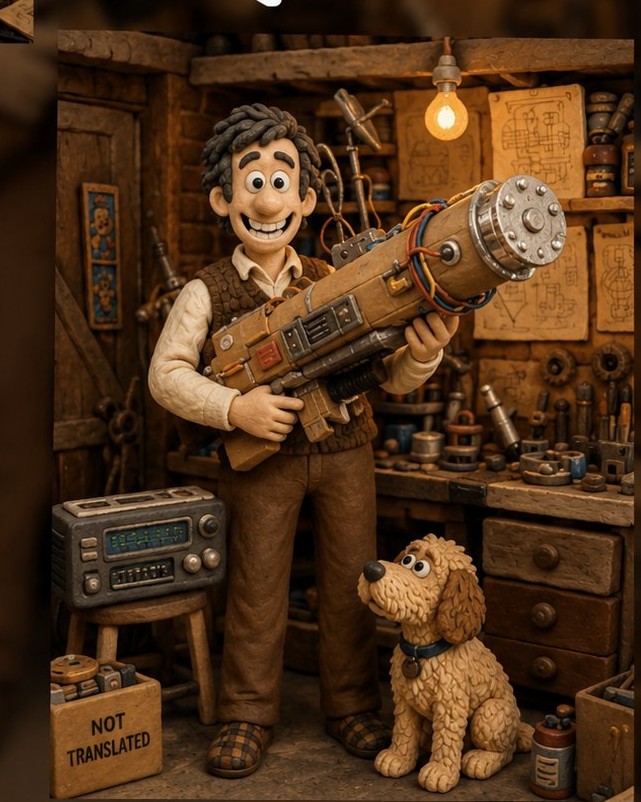
Лучше всего: портреты и сцены с чётким лицом, интерьеры с реквизитом. Близкие планы подчёркивают фактуру пластилина
Промпт - скопировать и вставить+
Reimagine the uploaded photo as a frame from a stop-motion claymation film in the style of Aardman Studios (Wallace and Gromit, Chicken Run). Preserve the exact composition, camera angle, framing, crop, subject position, pose, and scene layout from the original photo - every element must remain in the same place at the same size. Only the visual medium changes. Convert all subjects and objects into hand-sculpted plasticine clay. Visible thumbprints and fingerprint indentations on every surface, slight asymmetry in facial features, oversized expressive mouths with prominent teeth, small black bead eyes, exaggerated eyebrows. Bodies and clothing made of layered colored clay with visible seams and tool marks. The set behind the subjects is also clay - miniature handcrafted props, painted cardboard backdrops where appropriate, tiny clay details. Lighting: soft warm tungsten studio light from above, slight shadows showing the physical three-dimensionality of the clay. Visible focus falloff like a macro lens on a miniature set. Faint stop-motion shimmer in the texture. Photographed on a small physical set, 35mm photography of a clay scene, not digital animation.
Кукла из носка - домашний театр
03 / 06Сцена, разыгранная самодельными носочными куклами: глаза-пуговицы, пряжа-волосы, кривые крупные стежки, картонный фон. Тёплый свет домашнего кукольного спектакля
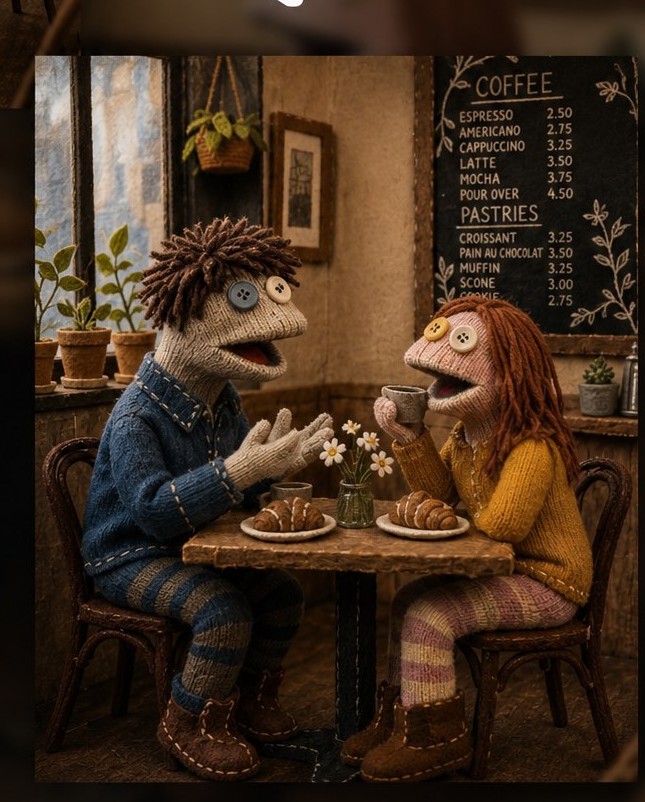
Лучше всего: сцены на двоих и простые интерьеры. Чем обыденнее исходник, тем смешнее и обаятельнее результат
Промпт - скопировать и вставить+
Reimagine the uploaded photo as a scene performed entirely by handmade sock puppets. Preserve the exact composition, camera angle, framing, crop, subject position, pose, and scene layout from the original photo - every element must remain in the same place at the same size. Only the visual medium changes. Convert every human subject into a sock puppet: a knitted or cotton sock covering an unseen hand, with the toe forming the head and a folded mouth opening at the heel. Two large mismatched button eyes glued or sewn on, sometimes googly plastic eyes, sometimes felt eyes. Yarn hair sewn to the top, simple felt accessories (cardboard glasses, a tiny knit hat, a bow tie, a ribbon). Visible big crooked stitches in contrasting thread. Sock fabric is slightly worn, faded, soft cotton or wool, sometimes with stripes or patterns. The hand inside is implied but not visible. Pose is whatever the original showed but interpreted as the natural shape a hand can make inside a sock - slightly awkward, charming. Lighting: warm soft homemade lighting like a kid's bedroom puppet show, slight handheld feel, the scene behind the puppets becomes a simple painted cardboard backdrop or fabric curtain version of the original setting. Lovingly homemade DIY aesthetic, like a child's craft project.
Minecraft - мир из кубов 16×16
04 / 06Всё становится кубами с пиксельными текстурами 16×16, люди - блочные персонажи в духе Стива и Алекс, чанковый ландшафт и характерный кубический свет
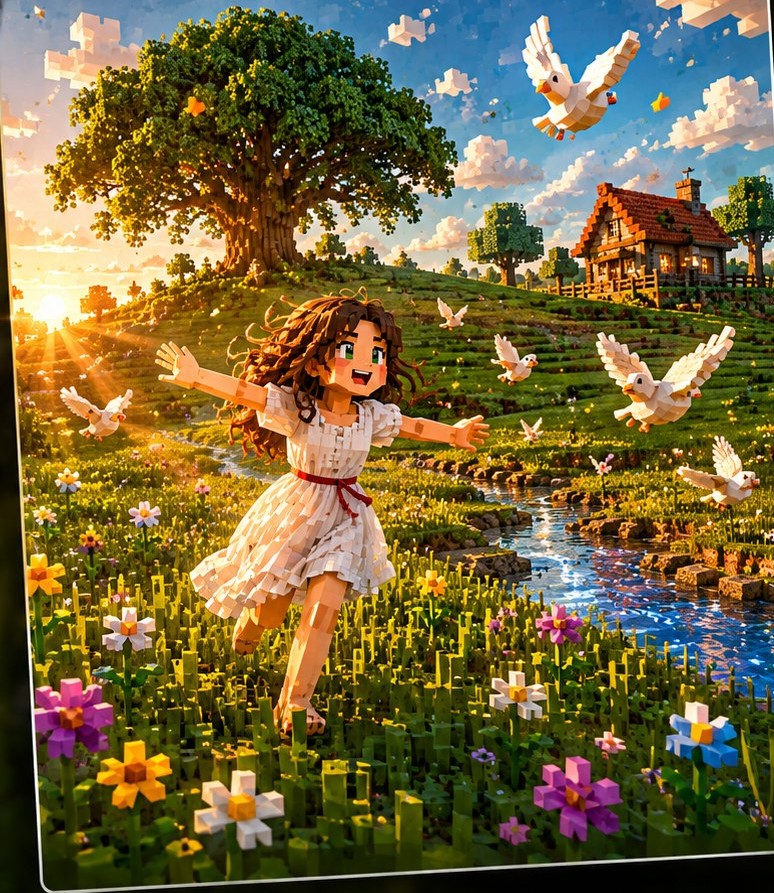
Лучше всего: улица с небом, землёй и деревьями. Чем читаемее поза силуэтом, тем лучше конвертится
Промпт - скопировать и вставить+
Reimagine the uploaded photo as a scene inside Minecraft. Preserve the exact composition, camera angle, framing, crop, subject position, pose, and scene layout from the original photo - every element must remain in the same place at the same size. Only the visual medium changes. Render every object and subject as Minecraft cubes textured with 16×16 pixel art. Humans become Steve/Alex-style cuboid characters: a single rectangular head with a 16×16 pixel face, a thin rectangular body, two arm blocks, two leg blocks, no neck, no hair beyond the head texture, no joints visible. Skin is a single pixelated texture map. Clothing is a flat texture on the limbs and torso. Environment: every surface, every object becomes a 1×1 meter cube with a 16×16 pixel texture appropriate to its material (grass block, stone, wood planks, glass, sandstone, etc.). The original setting is faithfully recreated as a Minecraft build using these blocks. Lighting is the chunky Minecraft sunlight model - clear directional shadows, blocky cloud blocks visible in the sky if outdoors. Optional: small hotbar UI at the bottom of the frame, a tiny crosshair in the center.
Low-Poly / PS1 - игра 1996-го
05 / 06Скриншот из игры эпохи PlayStation 1: модели на 200-500 полигонов, размытые текстуры, дрожание вершин, искажение текстур и туман дальности - точная эстетика консоли 1996 года
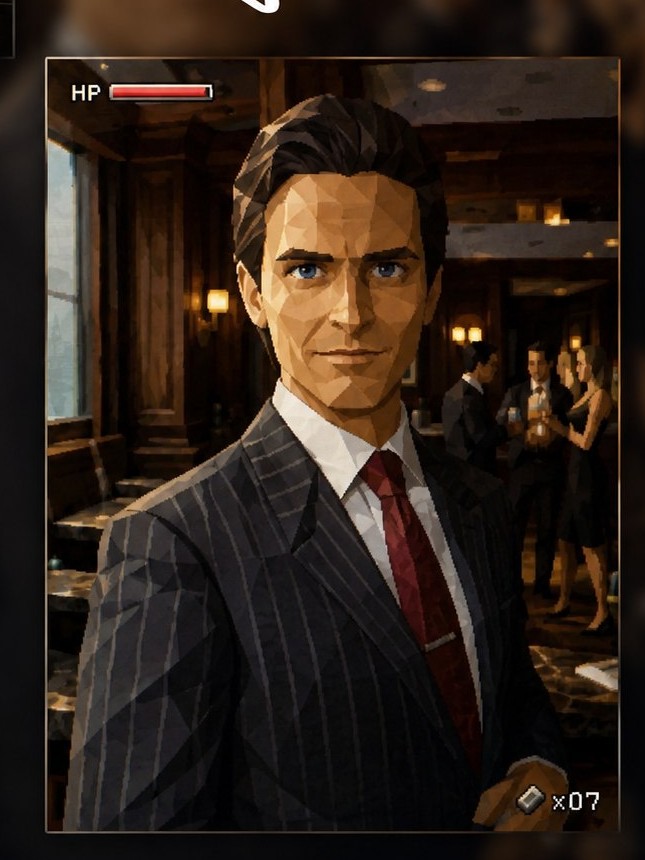
Лучше всего: портреты лиц - фасетки полигонов сразу узнаваемы. Работает на любом сюжете: люди, машины, здания
Промпт - скопировать и вставить+
Reimagine the uploaded photo as an in-game screenshot from a 1996 PlayStation 1 or Nintendo 64 video game. Preserve the exact composition, camera angle, framing, crop, subject position, pose, and scene layout from the original photo - every element must remain in the same place at the same size. Only the visual medium changes. Render everything as extreme low-polygon 3D models - characters made of approximately 200-500 visible flat polygons each, sharp angular faces with no smoothing, hands rendered as flat blocky paddles or stiff three-finger claws, eyes painted directly onto the polygon face as static textures, mouths as a fixed dark line or painted texture. No subsurface scattering, no soft shadows. All textures are blurry 64×64 or 128×128 pixel bitmaps stretched across polygons, with obvious texture seams and visible texture warping at polygon edges (classic PS1 affine texture mapping distortion). Environments built of low-poly chunky geometry, draw distance fog cutting off the background. Color palette is slightly limited and dithered. Visible jagged aliasing on every edge, no anti-aliasing. Render resolution feels like 320×240 upscaled, with slight CRT scanline overlay and chromatic aberration at screen edges. Vertices visibly snap and lack subpixel precision (PS1 vertex jitter). HUD optional - a tiny health bar or item counter in a corner.
The Sims - кадр из The Sims 1-2
06 / 06Люди как симы: мягкие пропорции, нарисованные лица, волосы-полигоны. Над главным героем крутится зелёный ромб-пламбоб, по краям - панель потребностей и счётчик денег
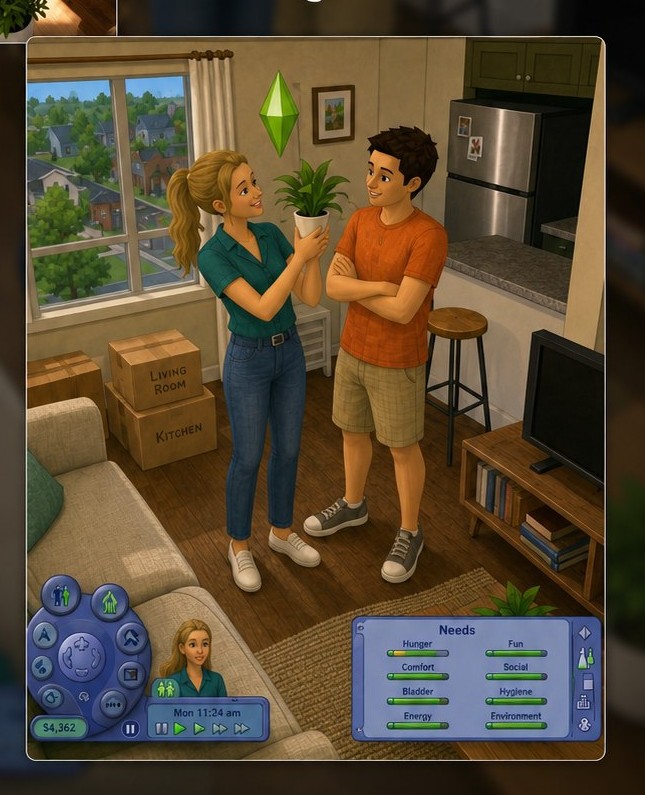
Лучше всего: бытовые и социальные сцены с людьми, интерьеры с мебелью. Нужен чёткий главный субъект - над ним появится пламбоб
Промпт - скопировать и вставить+
Reimagine the uploaded photo as an in-game screenshot from The Sims 1 (2000) or The Sims 2 (2004). Preserve the exact composition, camera angle, framing, crop, subject position, pose, and scene layout from the original photo - every element must remain in the same place at the same size. Only the visual medium changes. Render all humans as Sims characters: stylized low-poly 3D models with soft chubby proportions, slightly rounded heads, simple expressive faces with painted-on features, hair as solid sculpted polygon meshes in flat saturated colors, hands as four-fingered mittens. Skin is smooth and matte with a subtle plastic quality, no realistic skin detail. Clothing is rendered as low-resolution texture maps stretched on the body mesh, with visible texture seams. Above the main subject's head, render a small floating green diamond plumbob (the Sim selector indicator) gently rotating. Add subtle Sims UI elements at the edges: a small motive bar (mood meter), a needs panel icon in a corner. Environment is rendered in the same chunky low-poly Sims style - square-based architecture, isometric-ish perspective even if the original was a different angle (subtly adjusted), bright cartoonish colors, simple geometric furniture with rounded edges. Lighting is even and bright like a Sims interior. Slight 2003-era render quality, 1024×768 resolution feel.
Приёмы для всех стилей
Что вытягивает результат
Фраза-якорь композиции священна. Каждый промпт начинается с «Preserve the exact composition...» - уберёшь её, и модель перерисует сцену заново, а не конвертирует
Чистый, хорошо скомпонованный исходник даёт лучший результат. Мусорный фон, сильные искажения объектива и смаз перенесутся в вывод. Сильный оригинал - сильный вывод
Портрет 9:16 конвертится чисто под Reels. Квадрат и горизонталь тоже работают - стиль ложится независимо от пропорций
Не зашло с первого раза - перегенери. У модели естественный разброс между прогонами, второй-третий почти всегда лучше
Совмести с системой рефборд: сделай Ghibli- или пластилиновую версию героя и прогони через Character Board - получишь стиль-закреплённый лист для этой версии
Промпты работают и на ИИ-картинках: прогони кадр Seedance, портрет Nano Banana или сцену GPT Image 2 через любой стиль для мгновенного world-building
Бесплатный Концентрат
Хочешь, чтобы такие ролики выходили сами?
Сейчас ты стилизуешь кадр руками. На Концентрате по Claude Code Иван показывает, как собрать это в конвейер: фото превращаются в стили пачкой, оживают в ролики, выходят на автомате, а просмотры и подписчики копятся, пока ты занят другим
Занять место бесплатноБесплатно · 3 живых эфира
Ещё по теме
Генерация изображений и видео
Референс для лепки из пластилина: 7 промптов для GPT Image 2
Референс для лепки из пластилина в нейросети: 7 бордов для GPT Image 2 в Picsart Flow - паспорт героя из одного фото, персонаж не…
Анимация в GPT Image 2: стабильный герой в серии кадров
Анимация в GPT Image 2: как удержать одного героя в серии кадров - лицо, объект и локация не плывут
Деловой хедшот из селфи: 15 промптов для GPT Image 2
Деловой хедшот из селфи: 15 промптов GPT Image 2 - студийные портреты, лицо остаётся твоим
Говорящие предметы за 2 клика: промпты и разбор без съёмки
Говорящие предметы, которые набирают миллионы: два промпта - один рисует персонажа, второй заставляет его говорить. Без съёмки и монтажа, копируй и…
Промпты Древней Греции: анимированная документалка с ИИ за вечер
Промпты Древней Греции для своей анимированной документалки с ИИ: персонажи, мир, апскейл, оживление в видео. Полный воркфлоу по шагам